Clean PC

The clean PC command removes user-installed and pre-installed applications for a selected Windows device.
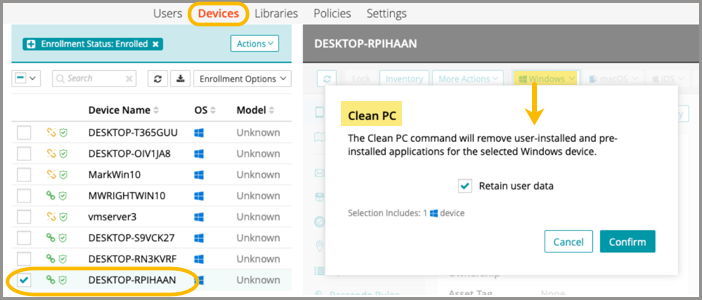
  1. Go to Devices in top navigation.
  2. Select a device.
  3. In the right panel, click the Windows dropdown list.
  4. Select Clean PC, then Confirm.